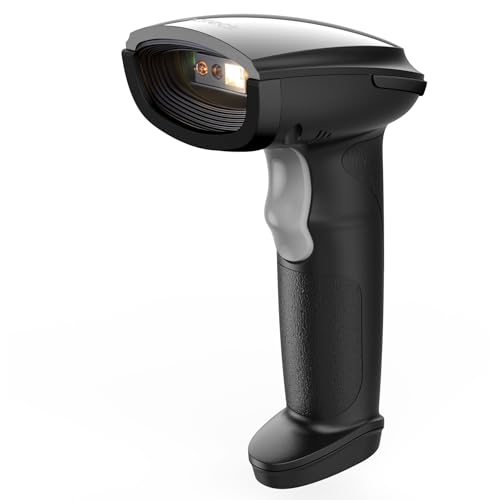
best practices for maintaining barcode scanners and printers
Barcode scanners and printers are vital components in various industries, from retail to logistics. To ensure these devices function effectively and deliver accurate results, regular maintenance is essential. This guide outlines best practices for maintaining barcode scanners and printers, ensuring they remain reliable and efficient.
Regular Cleaning
One of the most crucial aspects of maintaining barcode scanners and printers is regular cleaning. Dust, dirt, and adhesive residue can accumulate on the scanning lens and printer components, leading to performance issues.
For barcode scanners, use a soft, lint-free cloth to gently wipe the scanning window. For more thorough cleaning, some manufacturers recommend using a cleaning card specifically designed for barcode scanners. These cards help remove dirt and grime that may affect scanning accuracy.
When it comes to printers, clean the print head and roller using manufacturer-recommended cleaning solutions. Always turn off the device before cleaning, and allow it to cool down to prevent damage.
Environment Control
The environment in which your scanners and printers operate plays a significant role in their lifespan. Avoid placing these devices in areas with high humidity, extreme temperatures, or direct sunlight, as these can negatively impact performance.
People Also Look For:
- Rongta Thermal Label Maker, Portable Bluetooth Printer for Home and Office
- Wireless Barcode Scanner, 2600mAh Battery, 35m Range
- Direct Thermal Labels, 2" x 1", 1000 Pack, Perforated
- Rugged Barcode Scanner - Shockproof USB Wired Reader for Warehouse
- Tera Wireless Barcode Scanner with Battery Level Indicator, 1D Laser, Orange
Additionally, ensure that the workspace is free of excessive dust and debris. Consider using protective covers when the devices are not in use to prevent dust accumulation.
Regular Calibration and Configuration
Barcode scanners and printers should be regularly calibrated to ensure they function at optimal levels. Check the manufacturer's guidelines for calibration instructions, as the process may vary between devices.
Additionally, regularly review and update configuration settings to match your operational needs. Ensuring that the scanner's sensitivity is set correctly or that the printer is using the right print settings can greatly improve performance and reliability.
Monitor Usage and Performance
Keeping track of how often your barcode scanners and printers are used can provide insight into their maintenance needs. Devices that are used more frequently may require more regular cleaning and servicing.
Implement a maintenance log to track usage patterns, cleaning schedules, and any issues that arise. Being proactive in monitoring performance will help identify potential problems before they escalate, allowing for timely repairs or replacements.
Utilise Quality Supplies
The quality of materials used with barcode printers can impact their performance and maintenance needs. Always opt for high-quality labels and ribbons that are compatible with your specific printer model. Poor quality supplies can lead to smudging, misalignment, and increased wear and tear on the printer.
When selecting barcode labels, ensure they are designed for the intended application, whether it be for outdoor use, freezer conditions, or direct thermal printing. This can significantly extend the lifespan of both the printer and the labels.
Firmware and Software Updates
Regularly updating the firmware and software for your barcode scanners and printers is essential for optimal performance. Manufacturers often release updates that fix bugs, enhance functionality, and improve compatibility with new devices and systems.
Check the manufacturer's website periodically for updates, and follow the installation instructions carefully. Keeping your devices updated will ensure you have access to the latest features and improvements.
Professional Servicing
While regular maintenance can be done in-house, consider scheduling professional servicing annually or biannually. Technicians can provide thorough checks and repairs that may not be feasible to perform internally.
During professional servicing, technicians can inspect all components, perform necessary calibrations, and address any underlying issues that may affect performance in the long run.